
Guide to Integrating the Phraseboard Keyboard App
Phraseboard is a third-party app that customises and categorises your keyboard with easy to access phrases.

1. Download and install the Phraseboard Keyboard app to your device.
iOS: https://apps.apple.com/us/app/phraseboard-keyboard/id916976066#?platform=ipad
Android: https://play.google.com/store/apps/details?id=com.phraseboard&hl=en_GB&gl=US
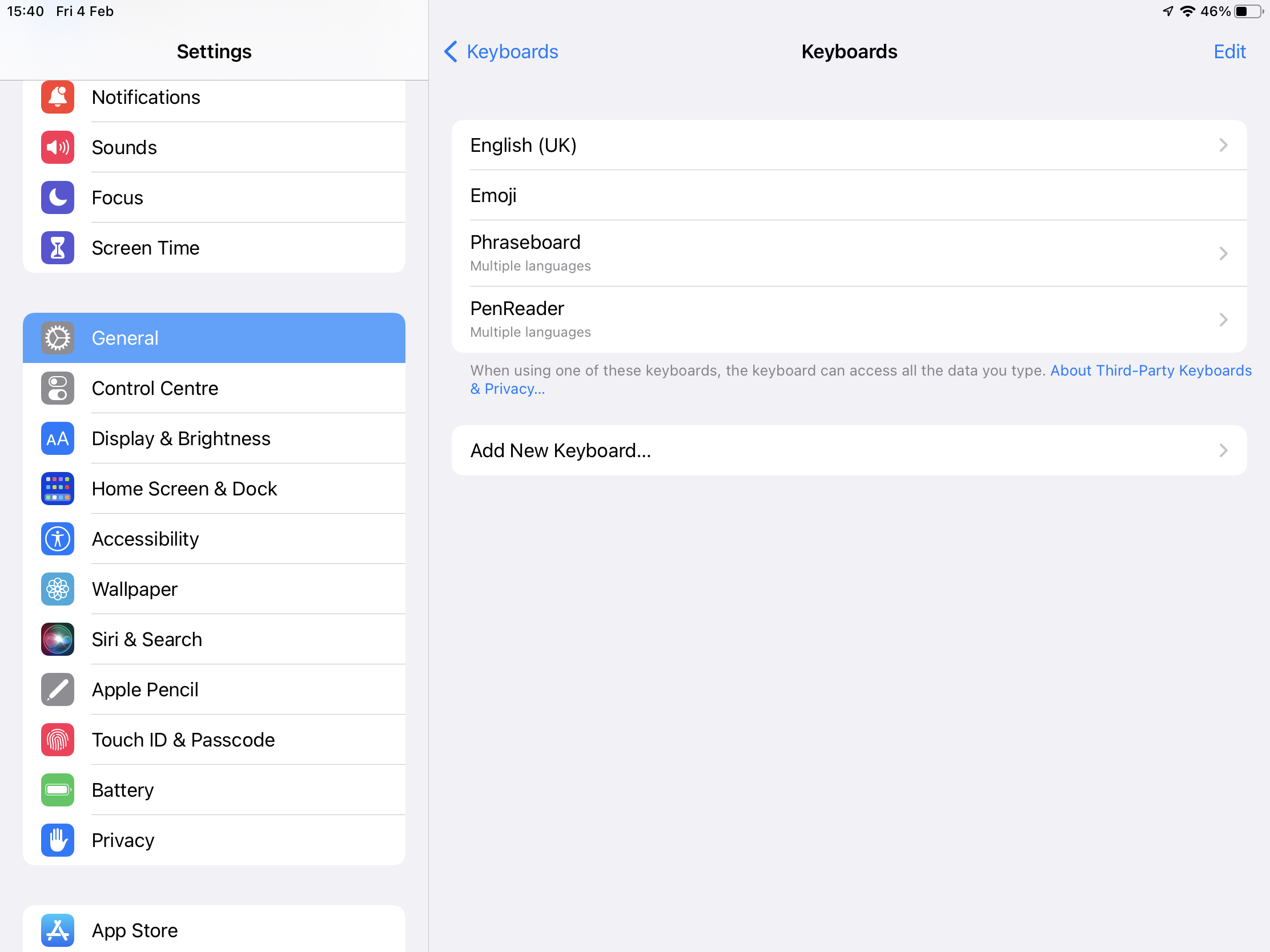
2. Enable Phraseboard Keyboard on your device:
iPad: Settings > General > Keyboard > Add > Phraseboard
Android > Settings > General Management > Keyboard List and Default > Phraseboard
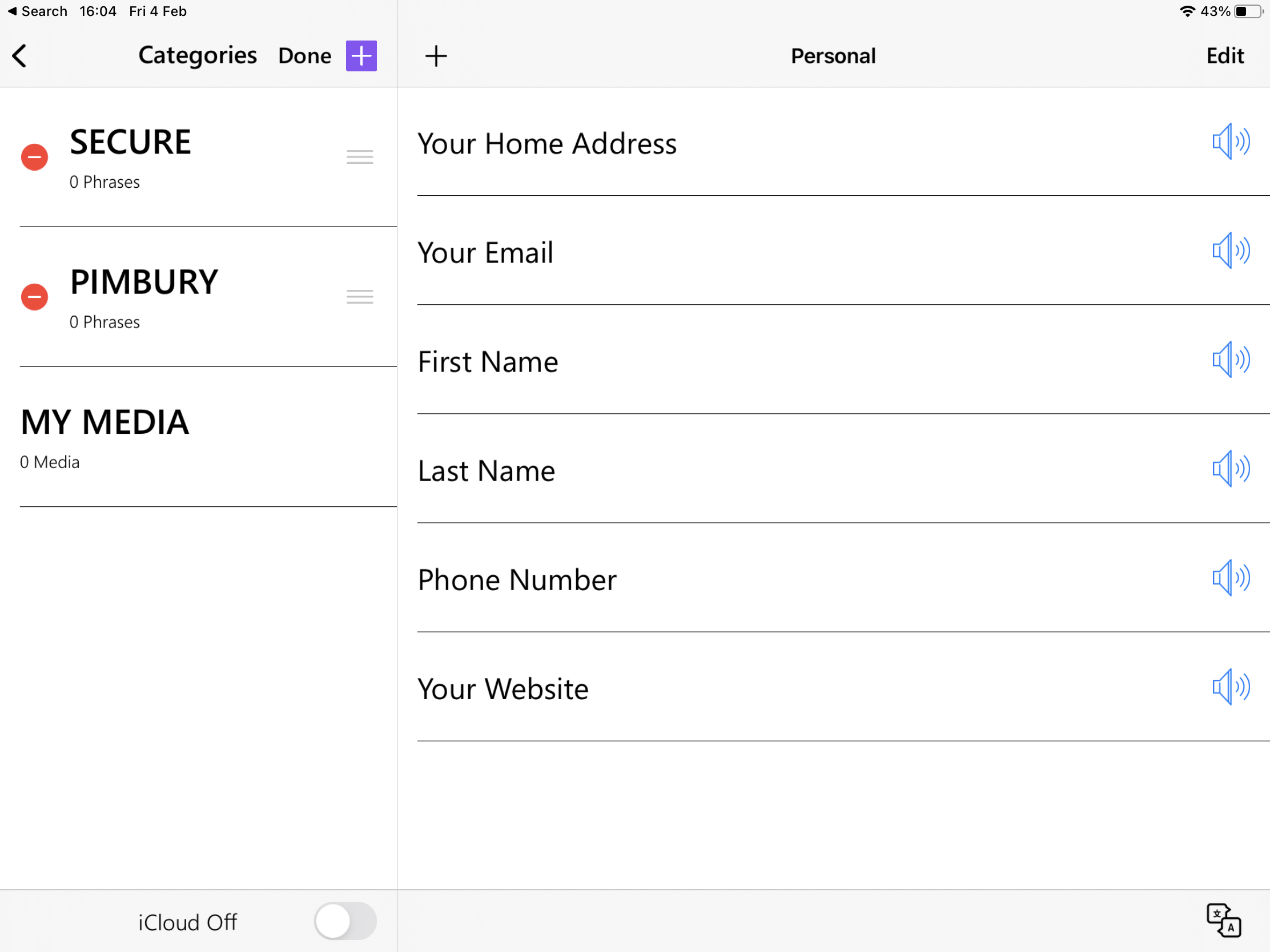
3. Add your phrases:
In the Phraseboard App add a Category and then Add phrases you wish to use.
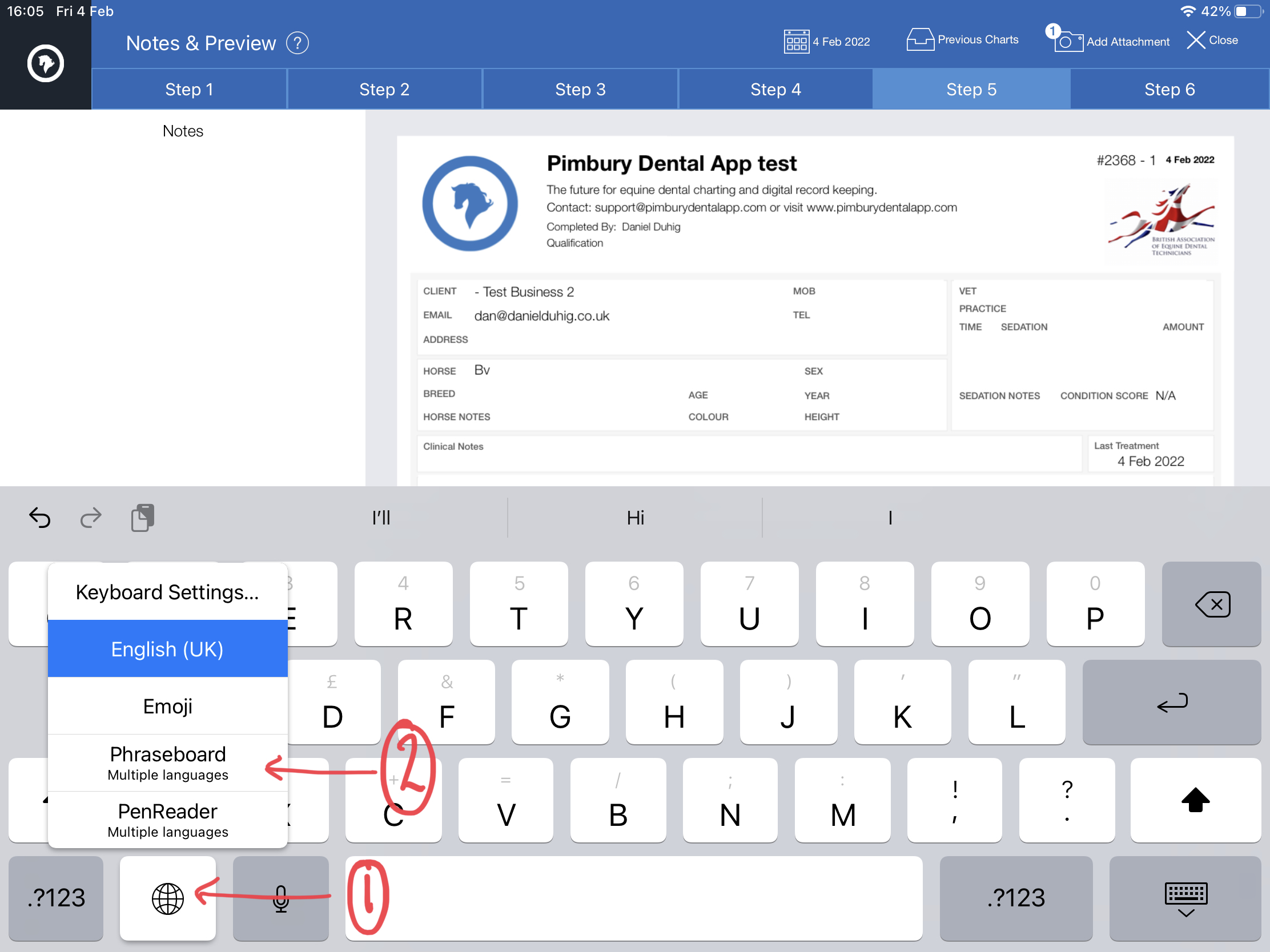
4. Use in Pimbury:
You keyboard will be available anytime your keyboard is available.
iPad: tap and hold the  button and select the Phraseboard option
Android: Tap the  button and select Phraseboard option.
5. Select your phrases to add them any place you need on your chart.
Please note: The custom fonts options in Phraseboard will not work within Pimbury. Not purchase necessary in Phraseboard.