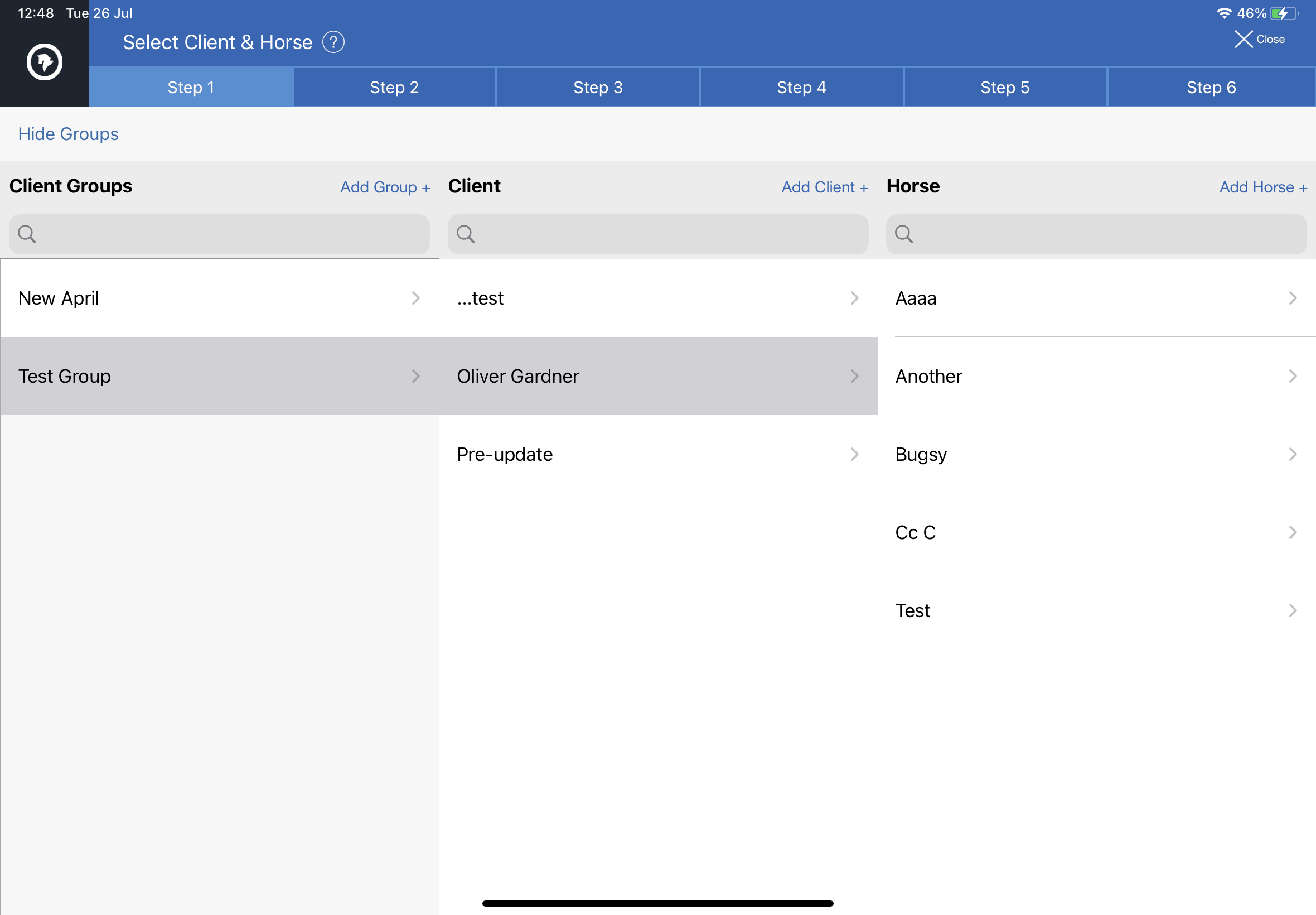
Clients records can be added to a Group for easier management. The Group record can have separate contact details, billing and yard/barn addresses.
*These details aren't shown on the Dental Chart.
Groups can be displayed, on Step 1, tap 'Show groups' in the top left corner.
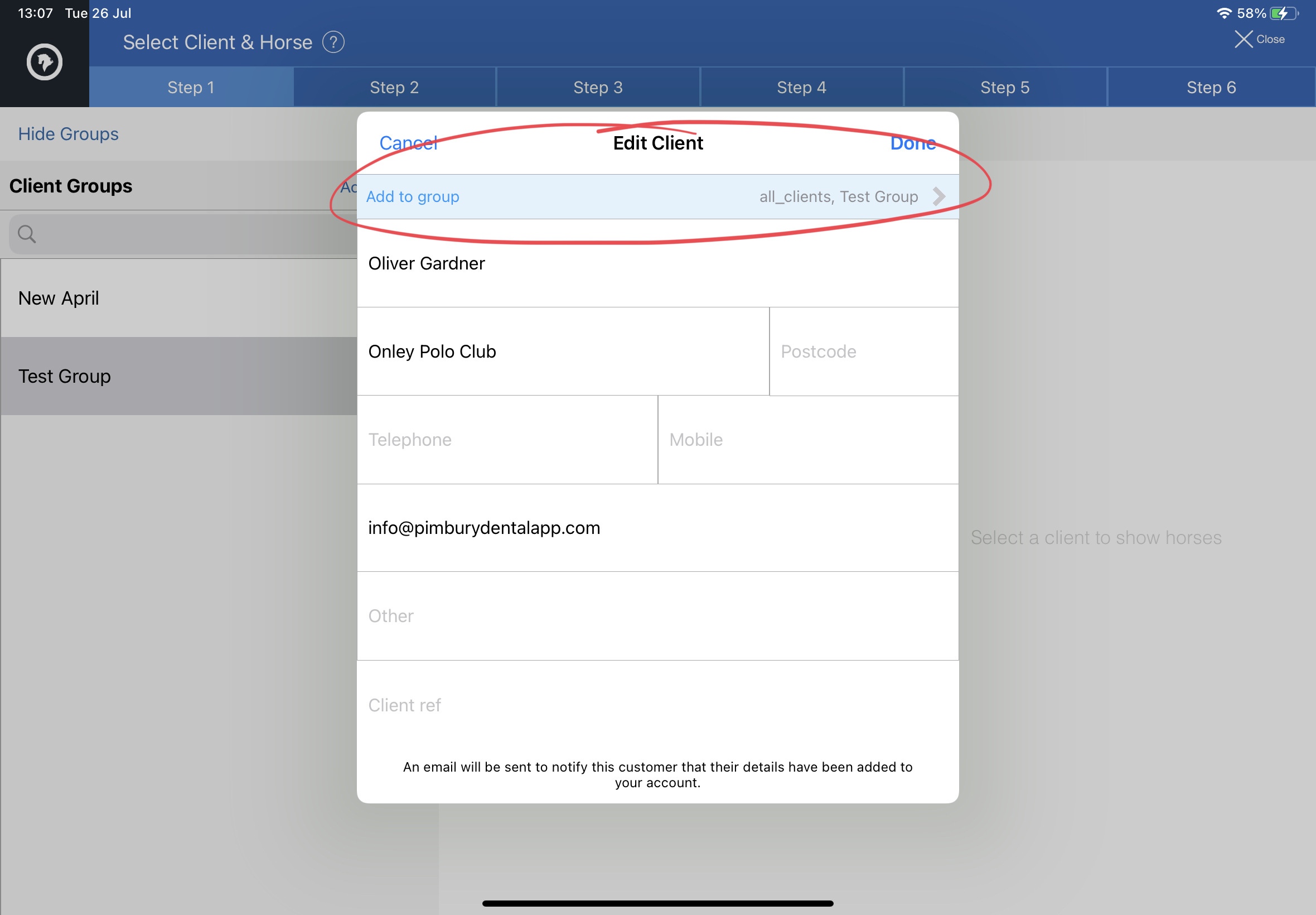
Adding Clients to Groups
- Select and edit the client record
- Tap the blue bar at the top - Add to Group
- Clients can be added to multiple Groups.
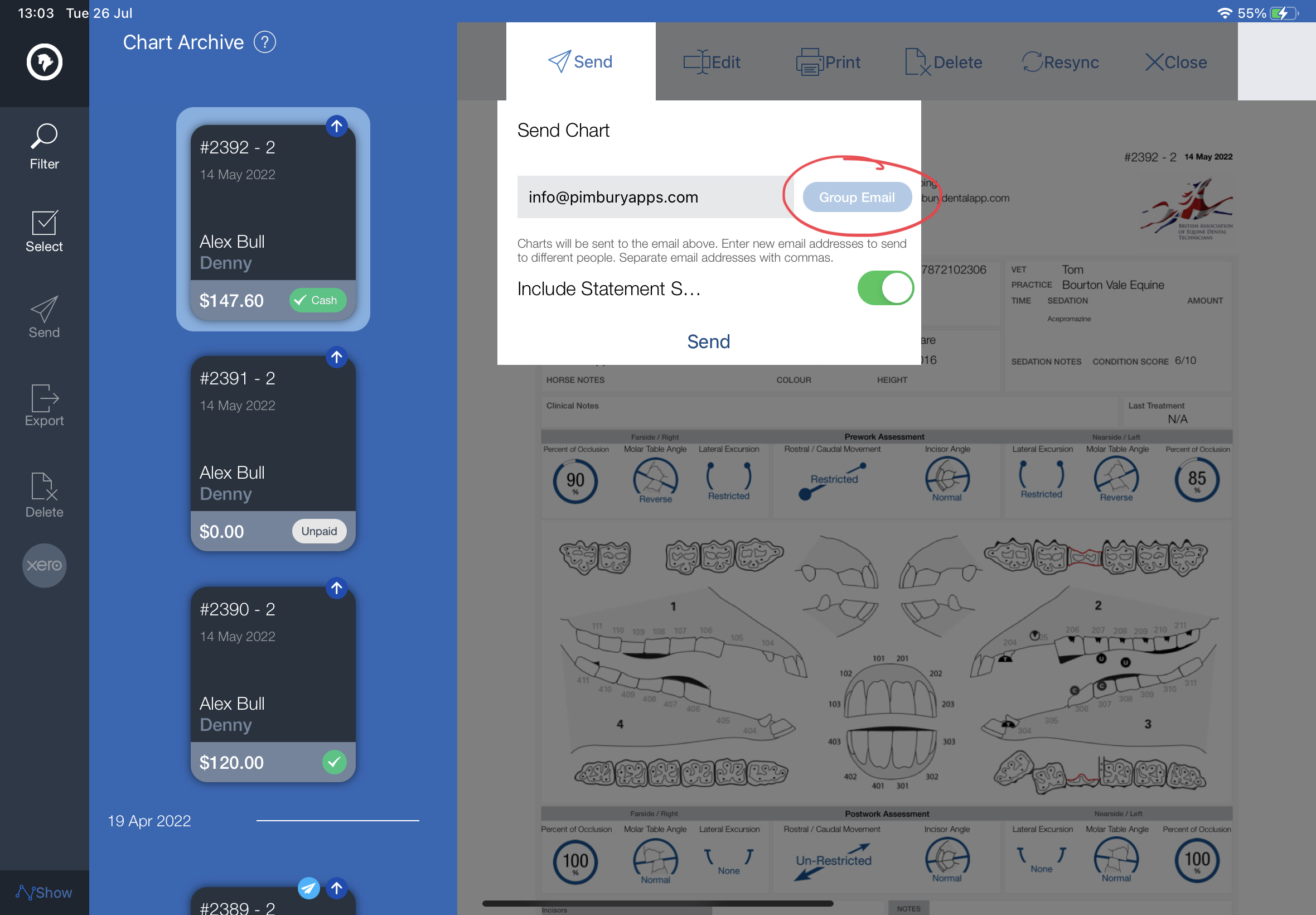
Sending Charts to Group Contact:
- Select or open the charts to send
- Tap Send
- If client has an assigned group with email contact the 'Group Email' button will be active tap to fill with group email address and tap 'Send'