
Tap a chart to view the preview window int he chart archive.
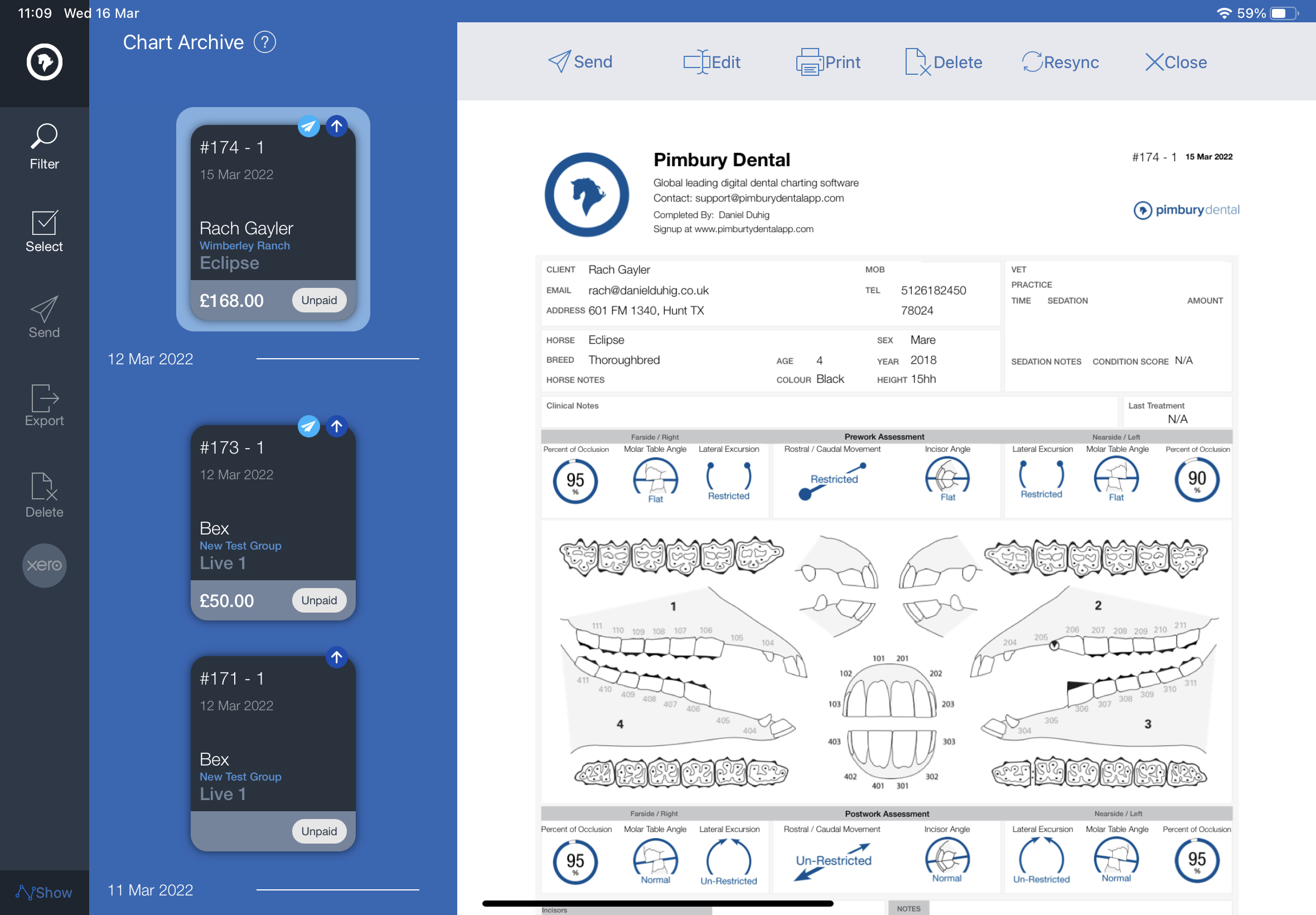
Zoom & Scroll:
Swipe up or down to scroll through the chart.
You can zoom the chart by pinching apart with two fingers.
Top Chart Menu:
Send:
Send this chart by email. Client email in pre-entered in the box, this can be over-ridden if required. Tap 'Group Email' to load the client group email contact.
Statement sheet toggle, to send PDF Statement Sheet.
Edit:
Opens the chart to step 6 to edit. you can move back to Step 1 if you need to assign the chart to a new Client/Horse.
Print:
Print this opened cart via wireless printer
Delete:
Delete this chart, deleted charts cannot be recovered.
Re-Sync:
For more information click here
Close:
Close preview window.