
Pre and Post Slide-in screens - Optional
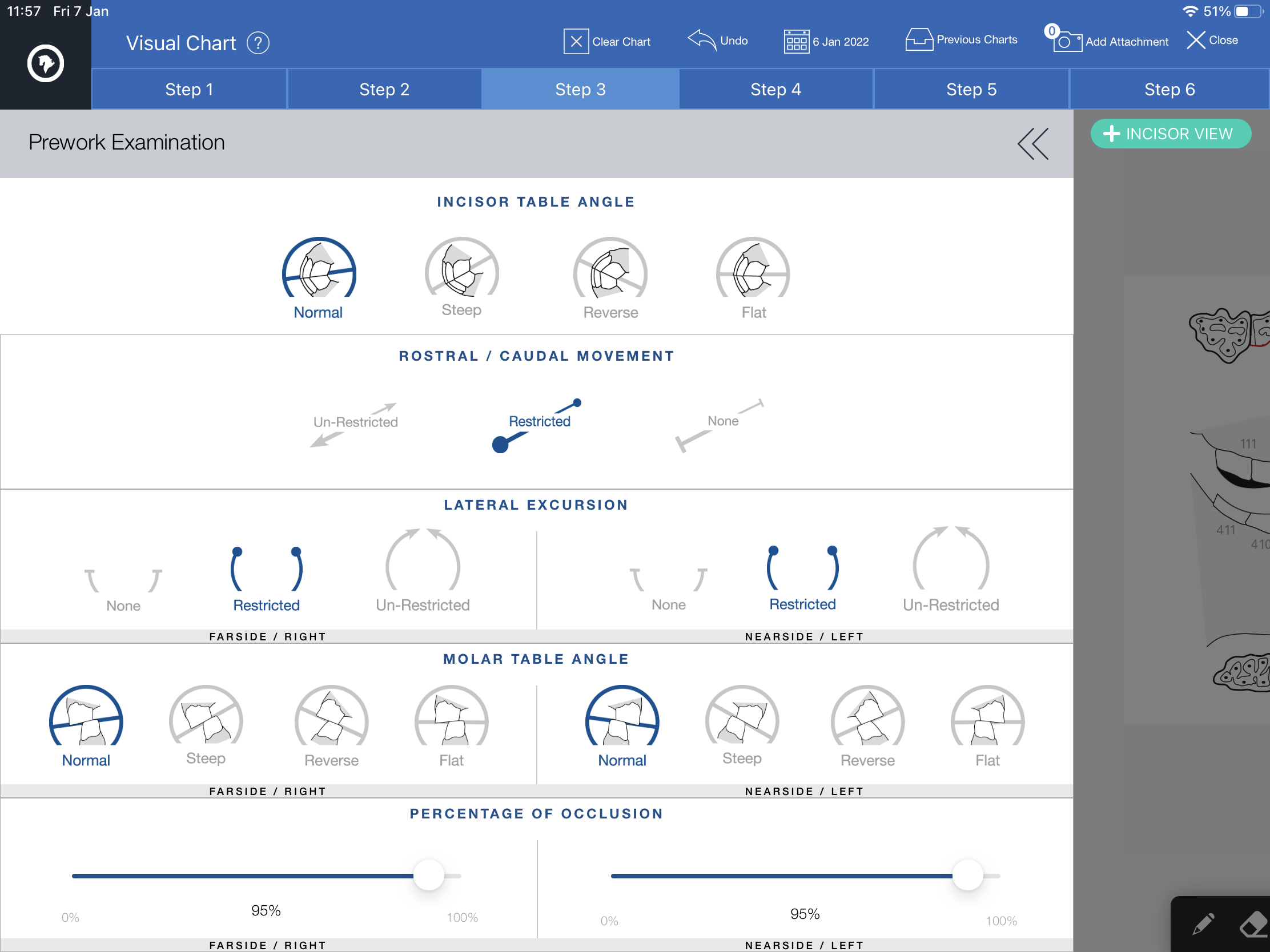
Simply Slide-in the screen from the edge of the tablet screen.
Icons can be added by tapping to highlight in blue.
Tap the arrows to close.
Optional
These recordings will only be displayed on the charts if the slide-ins are activated, otherwise they are hidden from the PDF dental chart.